Skip to content
02.1 / Case study

ValGo

A delivery app for local restaurants, pharmacies, supermarkets, bakeries and open markets, built so ordering a plate from a neighbourhood kitchen feels as precise as ordering from a chain.

All work
Category
Food & Essentials Delivery App
Role
Product design & mobile development
Stack
Figma · Flutter · Supabase · Firebase
Scope
Mobile customer app · 5 vendor categories
Fig. 02.1 · ValGo
ValGo home screen with delivery categories and nearby restaurantsValGo menu for Mama T's Kitchen with portion steppers and a live cart totalValGo order details with rider, delivery code and status timeline
A

Overview

ValGo is a delivery system I built end to end on the customer side: finding food and essentials nearby, building an order, paying, tracking the rider, and confirming the hand-off. It brings five kinds of vendors into one app: restaurants, pharmacies, supermarkets, bakeries and Ago Market for open-market shopping. Wallet, rewards and a rider sign-up path are built into the core navigation.

B

The problem

Local food is not sold like fast food. At a neighbourhood kitchen a plate is put together portion by portion (a scoop of jollof, a portion of beans, one moimoi, some dodo), and each part has its own price. Most delivery apps flatten that into fixed combo meals, so customers either over-order or can’t get what they actually want. On top of that, people need confidence that an order will arrive, and that it reaches the right person, before they pay for it.

C

Approach

  1. 01Modelled menus the way local kitchens sell: per-portion and per-piece pricing, with quantity steppers on every item instead of fixed combos
  2. 02Kept the running cart total pinned to the bottom of the menu so the price is always visible while a plate is being built
  3. 03Grouped restaurants, pharmacies, supermarkets, bakeries and markets under one home screen, each with its own entry point
  4. 04Surfaced the decision-making facts on every vendor card: delivery window, area, rating and whether the kitchen is open right now
  5. 05Designed a four-digit delivery code the customer shares only after checking the order, so hand-offs are verified
  6. 06Turned order status into a timestamped timeline with direct call and chat to the assigned rider
  7. 07Designed every flow in Figma, then built the app in Flutter on a Supabase backend, with Firebase sending push notifications
D / Key screens

How it works, screen by screen.

F.01 · Screen
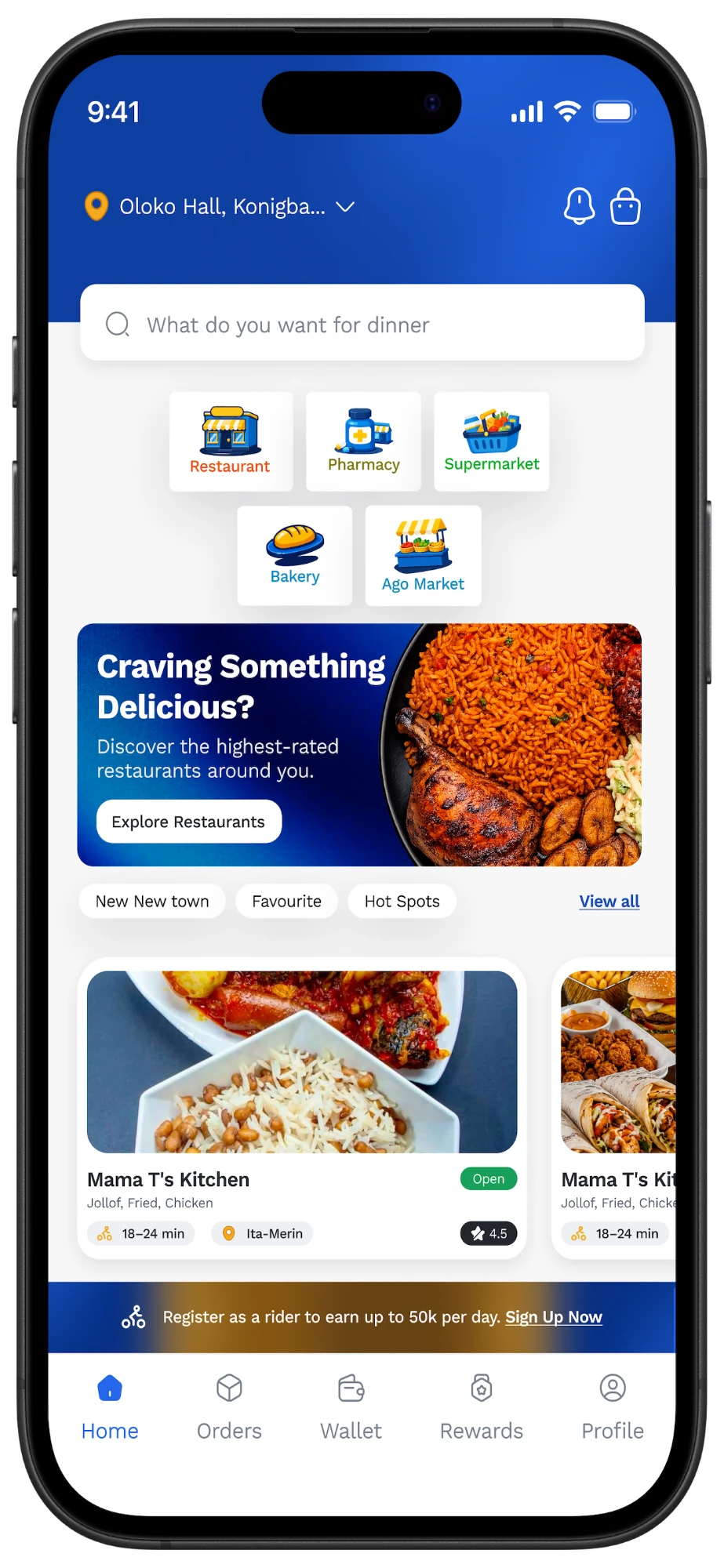
ValGo home screen
F.01

One home for every errand

The home screen opens on the delivery address, a search bar and five categories, so a customer can go from “what do I need?” to a vendor in one tap. Below that, curated lists (New in town, Favourite, Hot Spots) and vendor cards carry everything needed to choose: delivery window, area, rating and an Open badge.

  • 01Address switcher
  • 02Five delivery categories
  • 03Curated vendor lists
  • 04Open status on every card
  • 05Rider sign-up banner
F.02 · Screen
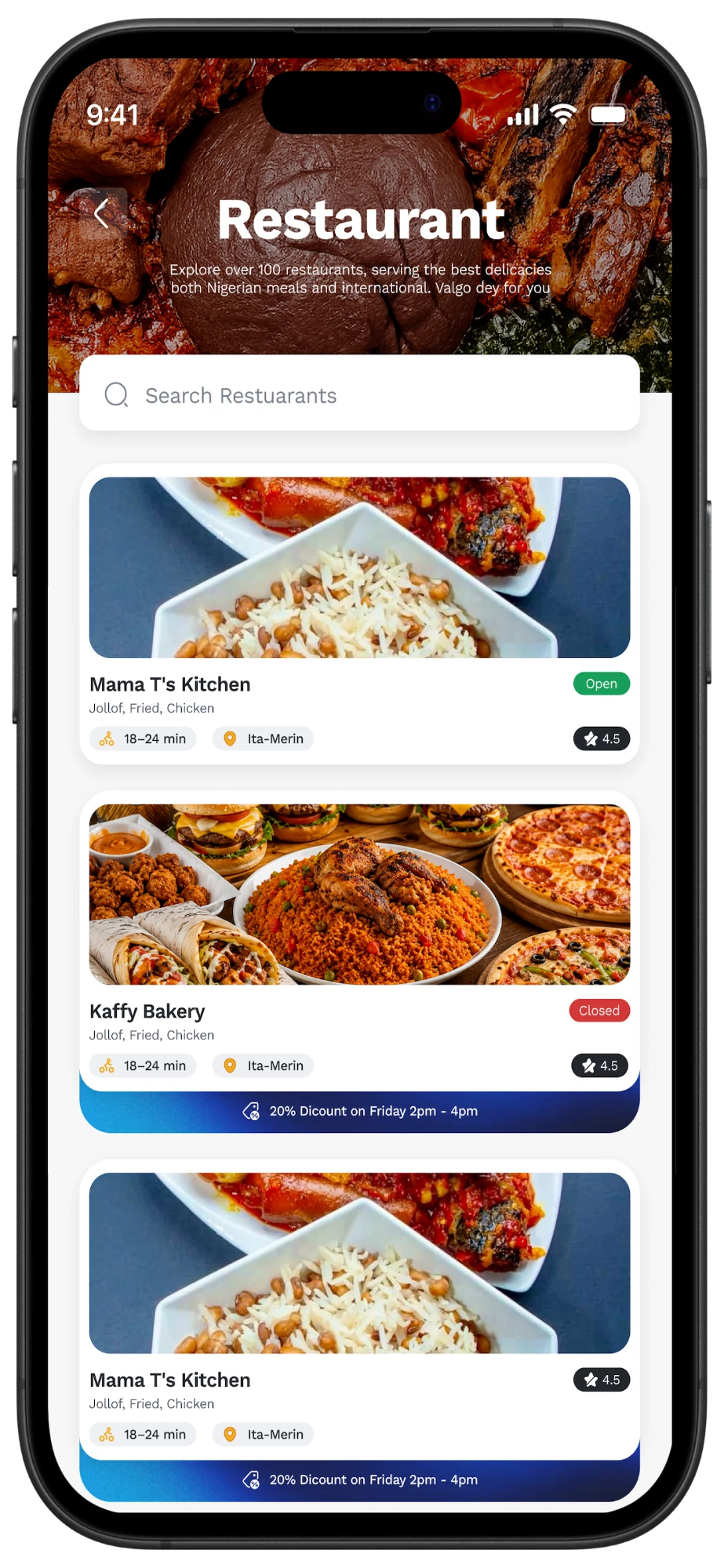
ValGo restaurant directory
F.02

Restaurants worth choosing between

The restaurant directory pairs searchable listings with live state: open or closed, delivery time, location and rating. Time-boxed offers sit on the card itself, so a deal is visible at the moment of choosing rather than buried in a promotions tab.

  • 01Restaurant search
  • 02Open / Closed state
  • 03Time-boxed discounts on the card
F.03 · Screen
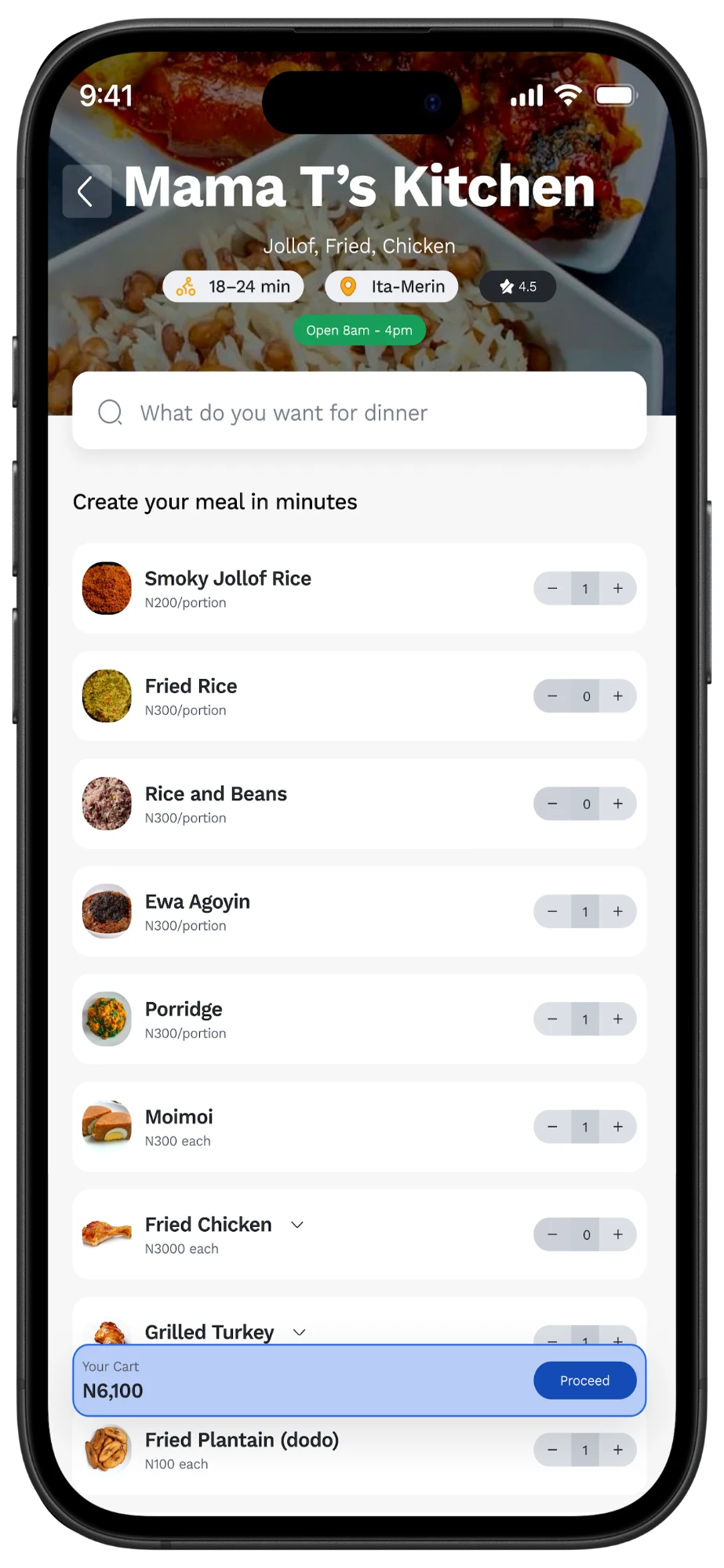
ValGo meal builder
F.03

Create your meal in minutes

Menus are built the way local kitchens actually sell. Each item shows its unit, per portion or per piece, and has its own stepper, so a plate of jollof, Ewa Agoyin, moimoi and dodo is assembled exactly as ordered. Items with options, like chicken or turkey, expand in place, and the cart total updates with every tap.

  • 01Per-portion and per-piece pricing
  • 02Steppers on every item
  • 03Expandable options
  • 04Live cart total with Proceed
F.04 · Screen
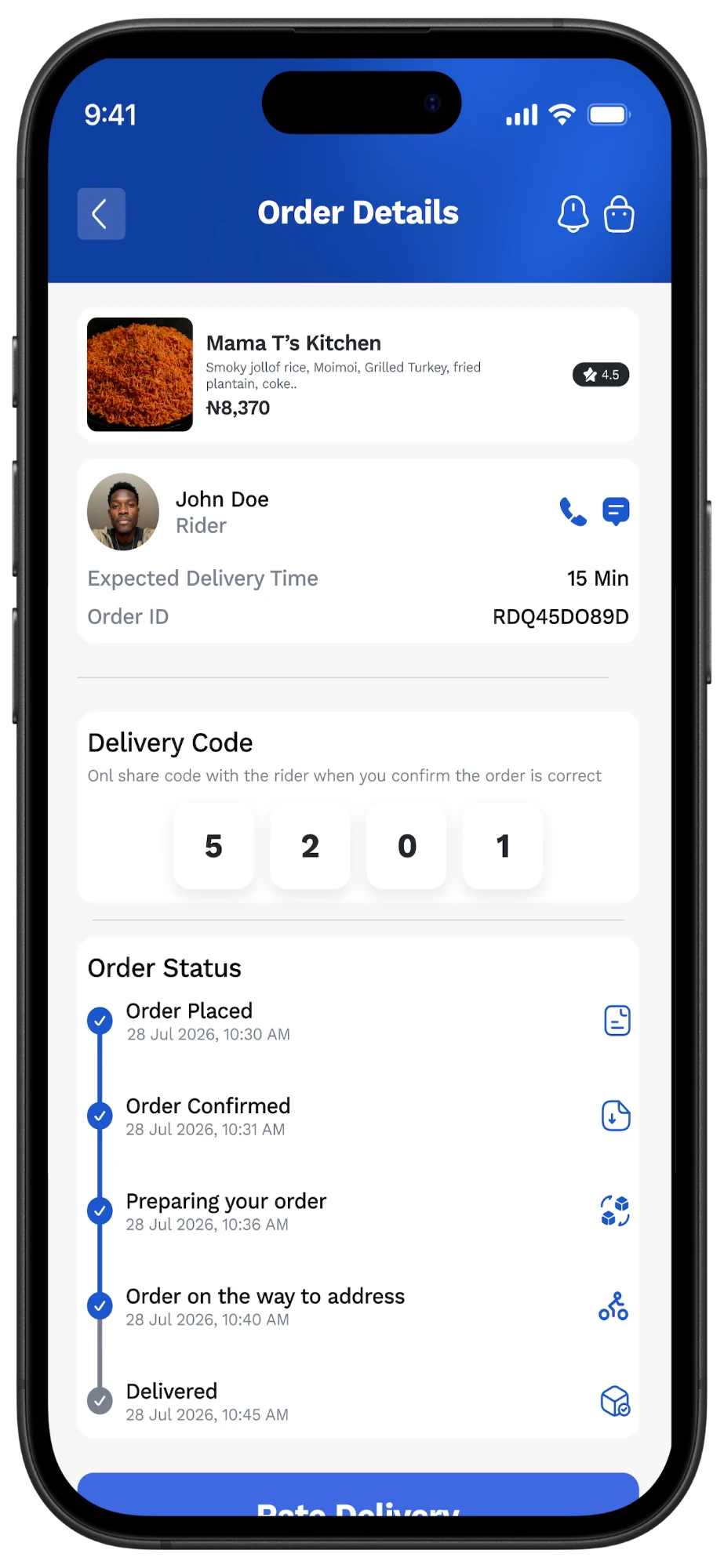
ValGo order tracking
F.04

Tracking you can trust

After checkout the order page shows who is delivering, how to reach them, and the expected time. Every stage is timestamped: placed, confirmed, preparing, on the way and delivered. A four-digit delivery code is shared with the rider only once the customer has checked the order, closing the loop on wrong or missing deliveries.

  • 01Rider call and chat
  • 02Expected delivery time
  • 03Verified delivery code
  • 04Timestamped status timeline
  • 05Rate the delivery
E / Order journey

From craving to doorstep.

  1. 01

    Discover

    Choose a category and a vendor that is open and close by.

  2. 02

    Build

    Assemble the plate portion by portion with a live total.

  3. 03

    Checkout

    Proceed from the pinned cart to payment.

  4. 04

    Track

    Follow each timestamped stage and reach the rider directly.

  5. 05

    Confirm

    Share the delivery code once the order checks out.

  6. 06

    Rate

    Rate the delivery to close the order.

F

What the app delivers

  • A complete customer journey: discovery, menu, cart, order tracking, delivery confirmation and rating
  • Five vendor categories in one home screen, with curated lists for new, favourite and popular spots
  • A portion-based meal builder with a live cart total
  • Rider details, call and chat, an order ID and a verified delivery code on every order
  • Wallet, Rewards, Orders and Profile in the main navigation, plus a sign-up path for new riders
Next sheetShight Running ClubCommunity Platform →
Next sheet / Your project

Let’s build something meaningful.

Start a project